Getting Started with Survive a Black Hole
Your first lobby plan—from joining Roblox to earning stokens without panic.
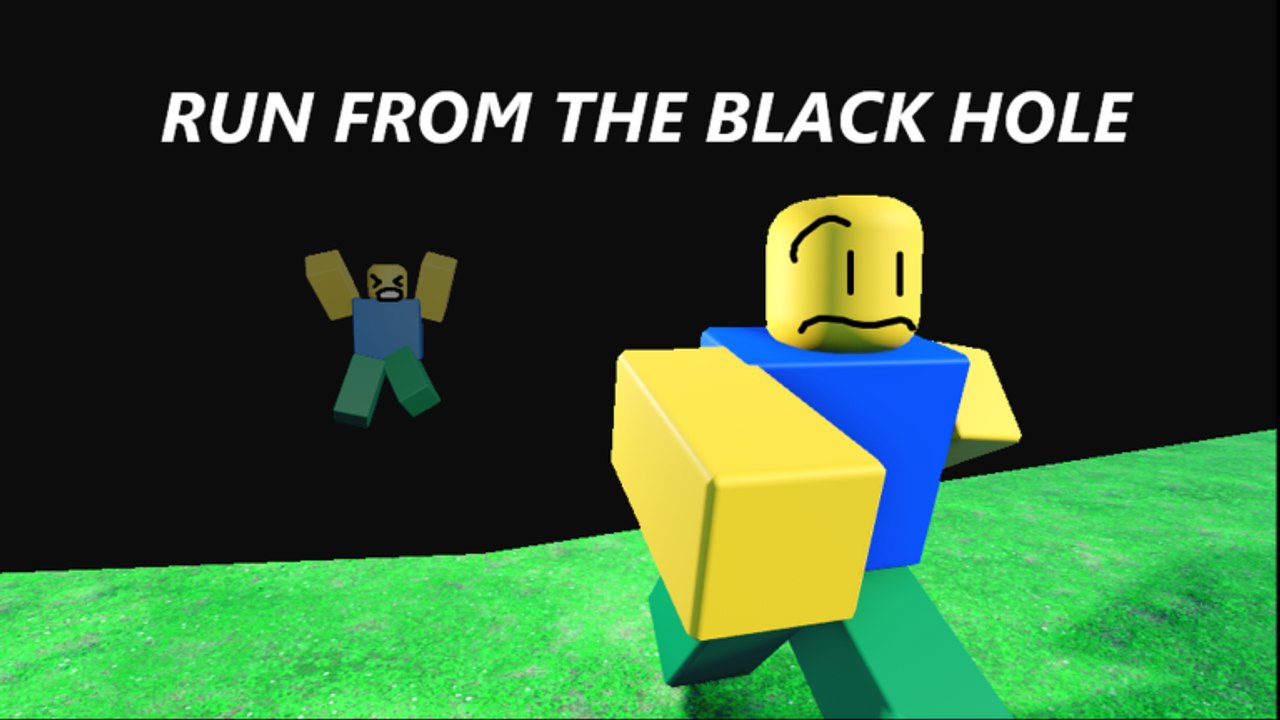
Survive a Black Hole (formerly A Black Hole) is a free Roblox survival/escape experience by jeuhari30. You join a server of up to 50 players, someone activates a Black Hole, the hole grows toward a maximum size of 2048, the map starts disappearing into the void, and you either escape for stokens and the survive badge—or you fall in. When the hole shrinks, the cycle can start again.
This Getting Started guide is your first-session walkthrough. It assumes zero prior time in the place and keeps advice aligned with the public description updated through mid-2026. A real gameplay video is embedded mid-article for visual context.
Before you click Play
- Open Roblox on PC, mobile, or console.
- Launch only from the official listing linked on our Official Links page.
- Confirm the creator is jeuhari30—ignore DMs selling the game; it is not for sale.
- Decide your first goal: learn the loop, not max efficiency.
Optional: skim the Codes Hub. There are no confirmed active codes as of November 2026, so do not stall in a redeem menu that may not exist yet.
What “winning” means in your first hour
Survive a Black Hole is not a single boss HP bar. Early wins look like:
- Understanding who activated the hole and when growth began
- Moving outward instead of rubbernecking the VFX
- Surviving at least one full growth cycle
- Dying once on purpose later to understand the fell-in feel (optional)
- Noticing whether you loaded a snowy layout (Snowscape) or another map
- Spotting that a shop, Speed Potions, and Health potions exist—without obsessing yet
Stokens will come naturally once activate-and-survive cycles click. Deep farming waits until the Stokens Guide.
Activate versus survive (know both jobs)
Activate
Activating starts the spectacle and unlocks the YOU WHAT?!?! badge path. When you activate, you also create danger for yourself. Pick a spot with a clear outward lane, press/activate the interaction the game provides, then leave immediately. Standing on the birth of the singularity to take screenshots is how new activators become early victims.
Survive
Surviving means escaping the pull as the hole expands. Camera discipline matters: glance to judge radius, then look where you are running. The hole’s max size of 2048 is your mental ceiling—late growth feels greedier than the opening seconds. Full technique lives in How to Survive.
Fall in
Dying to the hole grants You fell in. It will happen. Treat early deaths as tuition, not failure. Completionists eventually want this badge anyway—see Badges for all twenty achievements.
Controls expectations on Roblox
Exact keybinds follow your Roblox device settings:
- PC — WASD move, Shift sprint if enabled, Space jump, mouse camera, E or proximity prompts for world interactions depending on the place’s setup.
- Mobile — on-screen joystick, jump button, camera drag; pinch less during escapes—set a comfortable sensitivity before a run.
- Console — left stick move, right stick camera, face buttons for jump/interact per Roblox defaults.
Focus on intent: move, jump, interact/activate, and keep the camera readable. If a prompt appears near a suspicious pedestal or marked activator, assume it can start the hole. When you are ready for potions, shop buys, slip/prickly hazards, and device-specific tips, graduate to the full Controls guide.
Shop and potions (light intro)
You do not need a perfect loadout on day one, but you should know these systems exist:
- Shop — spend stokens on items; buying once unlocks a business-themed badge later
- Speed Potions — drink for mobility during tough escapes (ten drinks is a later badge goal)
- Health potions — recover after hazard chip damage; one badge even wants a sub-20 HP survive
Open shop and drink potions during calm or shrink phases in your first sessions. Mid-growth UI is how beginners die. Details and hazard reads live on Controls; streak planning waits for Win Streaks.
First lobby timeline (15–20 minutes)
Minutes 0–3: Load in. Orient. Note player count. Find open ground.
Minutes 3–8: Watch one cycle without activating. Learn how fast growth feels.
Minutes 8–12: Attempt a clean survive. Pick one direction and commit.
Minutes 12–16: If safe, try an activate when you already know your exit.
Minutes 16–20: After a shrink, breathe, optionally glance at shop or potions, check whether a collab Portal to Persistence is visible, and explore only during calm phases.
If Snowscape loaded, expect different footing—preview notes in the Maps Guide and Portal to Persistence.
Crowds change the tutorial
On a 10-player server you get space to experiment. On a 45-player server, panic clusters form in hallways and photogenic overlooks. Beginners should:
- Avoid the densest selfie crowd around the hole
- Pre-select an escape vector before activation spam starts
- Accept that someone else may activate before you are “ready”
Ranked approaches for different lobby sizes appear in Survival Strategies.
Stokens without the spreadsheet yet
Public text: get stokens by activating and surviving. For session one, simply notice when the game credits you after a successful cycle. Do not buy currency from players. Do not download “stoken generators.” Real progression is in-loop.
Safety and scam basics
- Free on Roblox only
- Description warns against purchase scams
- Report bugs to the linked server—not random Discord ads
- Executors can ban you; read Scripts before experimenting
After Getting Started: your next clicks
- How to Survive — pull reading and positioning
- Controls — potions, shop, hazards
- Maps Guide — Snowscape + portal overview
- Players Hub — badges, streaks, progression
Also useful: Tools Hub, Tier List Hub, Updates, Codes.
Common first-session mistakes
- AFK at spawn while the hole eats the lobby
- Activating inside a boxed corner
- Chasing teammates into dead ends
- Exploring the collab portal mid-devour
- Opening the shop while growth is active
- Quitting after one death before you feel shrink timing
- Trusting unverified code videos over this wiki’s Codes status
Mindset that keeps you playing
The fantasy is silly and hostile at once: a disappointing cosmic child that cannot grow past 2048 yet still erases the playground. Laugh when you fall in, then rejoin for the shrink. Improvement is measured in cleaner exits and calmer activations—not in never dying.
When the first session ends, you should be able to explain the loop out loud: activate, grow, survive or fall, shrink, repeat, stokens. That sentence is your foundation for every advanced guide on this site.
Frequently Asked Questions
Quick answers about Survive a Black Hole codes, survival, and stokens.
What should I do in my first Survive a Black Hole lobby?
Watch one cycle, practice running outward early, then try a careful activate only when you already know your escape lane.
Do I need codes to start?
No. There are no confirmed active codes as of November 2026. Learn the activate-survive loop first.
PC, mobile, or console—does it matter?
The loop is the same through Roblox. Adjust camera sensitivity so you can run without losing the hole’s radius in your peripheral vision.
Which badge should beginners chase first?
Natural play usually grants fell-in or survive moments quickly; activate deliberately when ready for YOU WHAT?!?!. See Badges for all twenty and Win Streaks for later prestige goals.
Should I use the shop and potions on day one?
Know they exist, but keep first-hour focus on escaping. Open shop and drink potions only during shrink or calm phases—details are on the Controls guide.
What is Snowscape?
A map added in a noted update. It changes sightlines and footing—read the Maps Guide after your first snowy load-in.
Is the game paid?
It is free to play on Roblox. The description warns it is not for sale off-platform.